

Hướng dẫn Download Arduino IDE
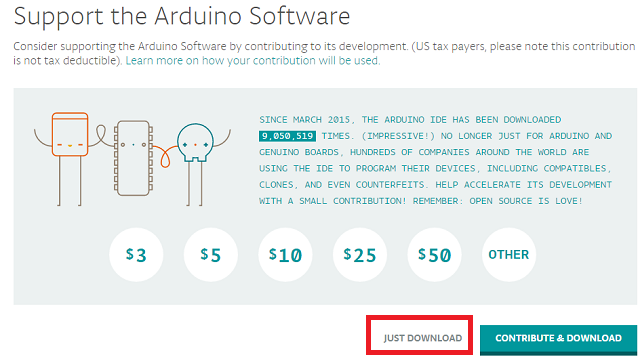
Bước 1: Download trực tiếp phần mềm Arduino IDE tại đây hoặc Truy cập vào trang http://arduino.cc/en/Main/Software và tải về chương trình Arduino IDE mới nhất, phù hợp với hệ điều hành của máy mình bao gồm Windown, Mac OS hay Linux. Với Windown có hai bản Cài đặt (.exe) và bản Zip (chỉ cần giải nén và chạy). Tuy nhiên các bạn nên tải bản cài đặt (.exe) để trình cài đặt tự động cài đặt cả driver cho các board mạch arduino. Các bạn lưu ý phần khoanh đỏ

Bước 2: Chọn JUST DOWNLOAD (free download)
Bước 3 : Cài đặt driver để nhận board Arduino
Mặc định khi cài đặt Arduino IDE phần mềm sẽ cài luôn các driver để máy tính có thể nhận được các board mạch Arduino. Tuy nhiên một số trường hợp máy tính không nhận được board mạch Arduino, khi đó các bạn làm như sau:
Cắm lại cáp USB nối giữa máy tính và Board Arduino, khi đó hiện ra bảng thông báo

Bây giờ bạn click vào Start Menu chọn Control Panel kế đến chúng ta chọn System and Security, click System và sau đó chọn Device Manager

Chúng ta sẽ thấy cảnh báo màu vàng thiếu driver trên Arduino. Click chuột phải trên Arduino Uno icon sau đó chọn “Update Driver Software”

Chọn “Browse my computer for driver software”

Chọn đường dẫn tới folder “driver” nơi mà phần mềm Arduino được lưu trữ.

Đối với Board mạch Arduino Uno R3 dán, cần cài đặt driver cho CH340, các bạn download tại đây
Xem video hướng dẫn cài đặt Arduino IDE


jasonnf1
14/09/2022